The Awkward Middle of AI-Driven Development
My development workflow used to have three steps: find the problem, give it to ChatGPT, and pray.

If something broke, I'd copy the error message, paste it back into the conversation, and ask it to fix whatever it had just fixed. Sometimes it worked. Sometimes the fix needed another fix. And sometimes, after an hour of going back and forth, I'd realize the original problem was probably easier to solve myself.
But that was later.
At first, I was genuinely impressed. I could ask for an entire component and get hundreds of lines of code in seconds. Something that would've taken me a good chunk of my afternoon was suddenly sitting there, ready to paste. And paste I did. I wasn't exactly checking every line, either. If it looked reasonable and didn't immediately explode, great. Next task.
At one point, I even tried building an entire project through a single ChatGPT conversation. I kept adding features, reporting errors, asking for changes, and expecting everything to somehow hold together. It did not.
The funny thing is, I kept doing it. Same approach, same problems, slightly different error messages. I was essentially banging my head against a wall, except the wall could generate TypeScript.
Eventually, I started wondering whether the problem wasn't entirely the AI. Maybe I just had no idea how to work with it.
Same prayers, better instructions
By the time I started working on Consumer Risk Index (CRI), I'd at least learned to plan things before throwing them at an AI. I was thinking about specifications, what the MVP should look like, what I actually wanted to accomplish, and what I didn't want the project to become. Funny enough, I didn't even know there was a name for this kind of approach. I later encountered spec-driven development through our Software Engineering course.
I was accidentally doing something sensible.
My prompts were changing, too. Instead of the usual one or two sentences describing what I wanted, I'd give AI a list of requirements, explain why I wanted to build it, mention things to avoid, and ask it to research the problem first. I'd even ask it to question my ideas and explain how it planned to approach the project. A significant improvement, considering my previous strategy was essentially "make this work, thanks."
There was just one tiny problem. After doing all that planning, I'd still ask AI to build the entire thing in one go.
One-shot prompting. I was obsessed with it.
Prompt engineering was a big deal, and I figured that if I could just write a sufficiently good prompt, the AI could handle everything else. So there I was, writing increasingly elaborate instructions, carefully outlining what I wanted, and then handing over the whole project.
The prayers were still there. They just came with documentation now.
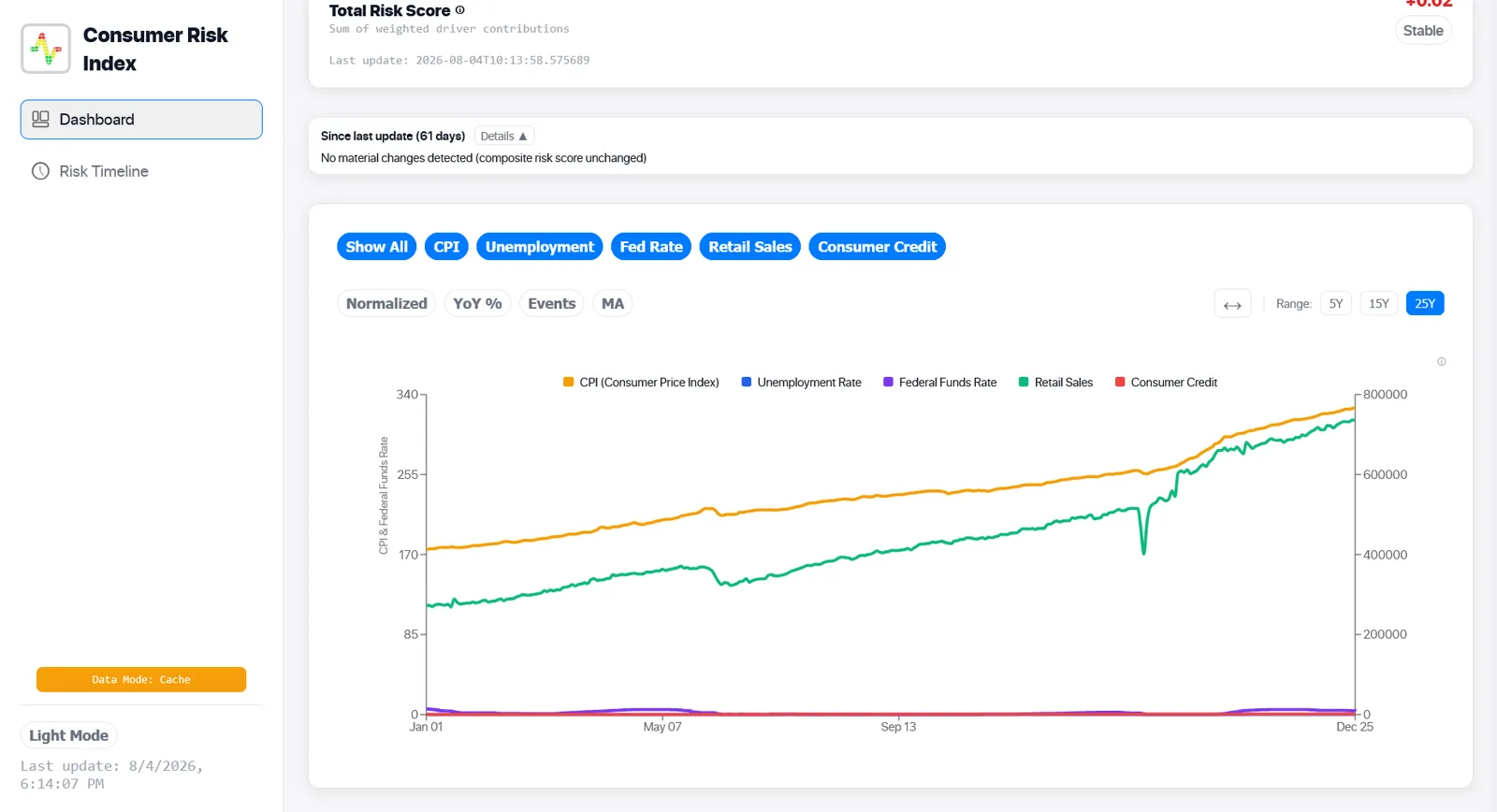
To be fair, it worked. Much better, actually. I was getting things done faster, and the output was noticeably better than what I'd been getting before. I'd inspect the interface, click around, type in test cases, and check whether the features actually behaved as expected. For a while, it felt like I'd figured something out.
And then came the hallucinations.
A fresh conversation, a familiar problem
The trouble with AI is that it can be spectacularly convincing even when it has absolutely no idea what it's talking about.
I'd spend time establishing context, explaining the project, going through implementation decisions, and making progress. But as the conversation grew longer, things would start getting messy. The AI would forget earlier decisions, contradict something we'd already established, or produce code that didn't quite fit the rest of the project.
Back then, I didn't have the convenient context-compaction options I later encountered. So when a conversation became too bloated, I'd start a new one.
Simple enough. Except the new conversation didn't know anything about the project.
My solution? Ask the old conversation to write a handoff prompt containing everything the new conversation needed to know. It sounded clever, and sometimes it genuinely helped. But over time, the handoff prompts themselves got longer. The new conversation would inherit an enormous wall of context before I'd even asked it to do anything useful.
I was trying to solve context overload by creating more context. Excellent.
The pattern became strangely familiar. I'd learn something, improve my workflow, enjoy the benefits for a while, and eventually run into another problem I hadn't anticipated. Then I'd go looking for another solution.
It was frustrating, but I was also getting increasingly interested in why these things happened.
Four hours, ten fixes, one print statement
One particular incident with Consumer Risk Index still makes me laugh. Not because it was funny at the time.
CRI was supposed to analyze economic indicators using data from FRED, the Federal Reserve Economic Data service. I'd been working on its different data-source modes, including database access and caching. The idea was straightforward: retrieve the latest available economic observations, store and process them, and fall back to cached data when necessary.
I asked AI to implement the different modes. Locally, everything looked fine. The dashboard loaded, data appeared, charts worked, and nothing seemed particularly suspicious.
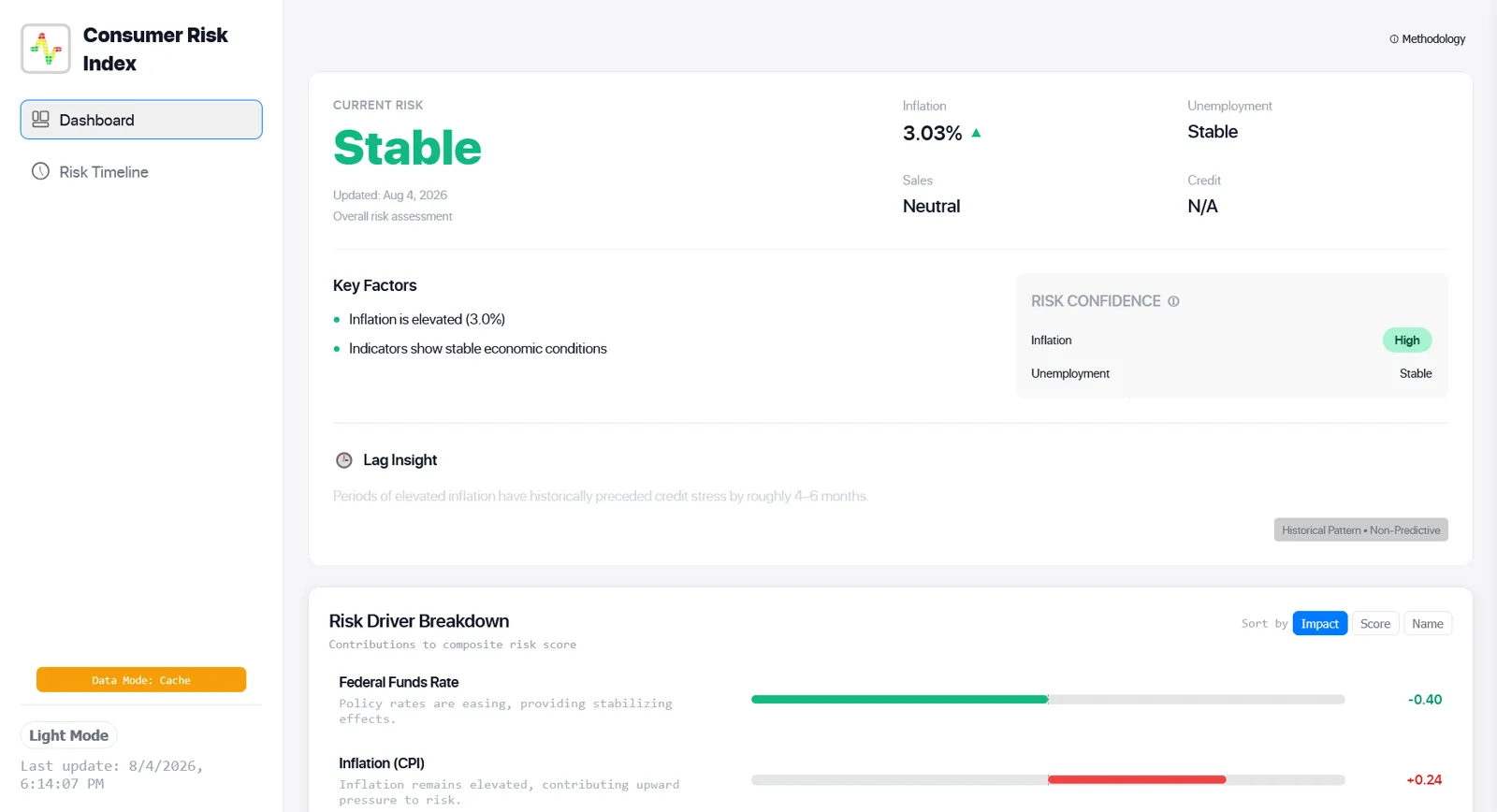
Then I deployed it.
Somehow, the application kept using cached data instead of retrieving what it was supposed to. This was a fairly serious problem because the point of connecting CRI to FRED was to work with updated economic information. If the system was quietly serving old data without properly checking its primary source, it wasn't really delivering what I'd built it to do.
The annoying part was that nothing looked obviously broken. A chart displaying stale data can look exactly like a chart displaying the latest available data. The interface doesn't suddenly turn red and announce that something is wrong.
So naturally, I asked AI to fix it. And it did. Or at least, it said it did.
I tested again. Same problem. Another prompt, another proposed fix, another test. Still broken.
This went on for roughly four hours. I went back and forth with AI, searched Google, tried different tests, and went through what felt like ten separate fixes. At some point, I stopped asking AI what it thought was wrong and started tracing what the application was actually doing.
The old-school approach. Print statements.
Nothing glamorous. Just checking which functions were being called and where the data was coming from. And there it was. A mismanaged function was timing out during the database check. Instead of continuing through the intended database path, the application kept falling back to cached data.
The fallback itself wasn't necessarily a bad feature. It was supposed to help the application remain usable when a data source wasn't available. The problem was that it had effectively become the default behavior.
Four hours, multiple attempts, and the thing that finally helped me find the issue was printing out what the code was doing. I had an AI helping me write and debug an application, and I still ended up interrogating the terminal like it was 2005.
But that incident changed something about how I approached development. I had been testing whether the application produced the expected output. I wasn't doing enough to verify how it produced that output.
Those are two very different things.
The application wasn't crashing. It wasn't throwing a dramatic exception on screen. It was doing something reasonable under the wrong circumstances. Which, in some ways, is worse. At least an obvious error has the decency to tell you there's a problem.
Learning by breaking things
Here's something I didn't expect from all of this. I started enjoying learning development again.
I'd spent plenty of time watching YouTube tutorials and reading documentation on sites like W3Schools. Those resources were useful, but I was getting tired of learning things in isolation and then trying to figure out where they fit in an actual project.
Working with AI felt different. When something broke, I had a real problem in front of me. I could inspect the code, try to understand the mistake, ask AI why something worked the way it did, and then test whether its explanation made sense. Sometimes the AI was wrong about that, too, which meant I had another thing to investigate.
The CRI incident was frustrating, sure. But after spending hours debugging something that looked perfectly fine on the surface, I'd learned more about the application's data flow, timeouts, and fallback behavior than I had when AI first implemented them.
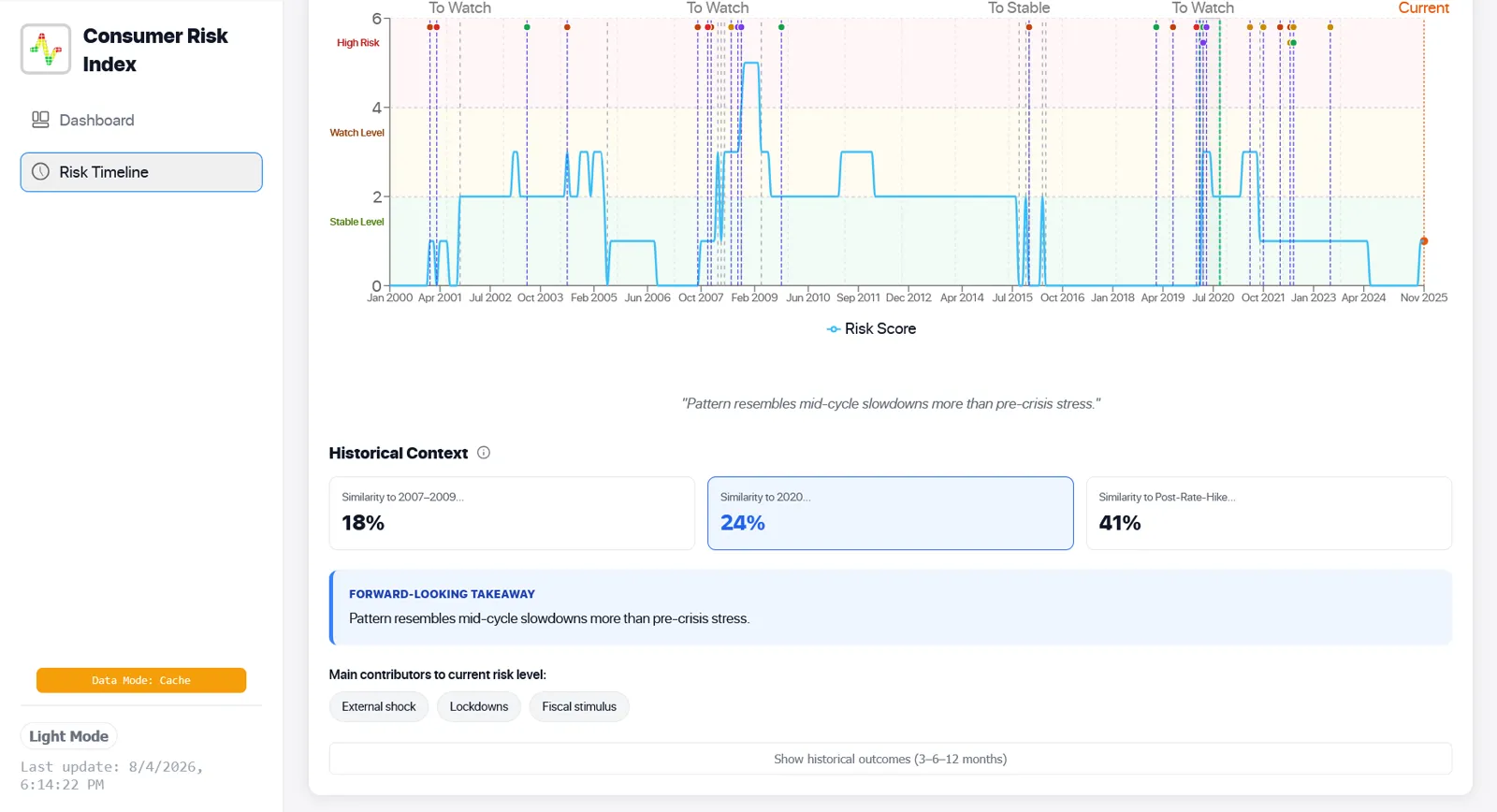
I was no longer satisfied with "it works." I wanted to know why, and increasingly, whether it was actually working for the right reasons.
I didn't suddenly become a better developer because AI wrote code for me. But the projects gave me reasons to read code I might otherwise have ignored, understand decisions I'd previously taken for granted, and experiment with things I wouldn't have known how to approach from scratch.
I was getting things wrong, fixing them, understanding a little more, and doing it again. It was more engaging than sitting through another tutorial where everything worked perfectly because someone had already figured out all the difficult parts.
When AI started touching the files
Eventually, I discovered TRAE.
Up until then, I'd gotten pretty good at what was essentially a second job: being the middleman between ChatGPT and my code editor. Ask for code, copy it, create a file, paste it, run it, copy the error, and go back to ChatGPT. Repeat until something works or I seriously reconsider my approach.
Then I opened TRAE, gave it a task, and watched it work directly on my project. It could read files, create new ones, edit multiple files at once, execute commands, run tests, and attempt to fix whatever it broke. All without me manually transferring code between windows.
What the hell.
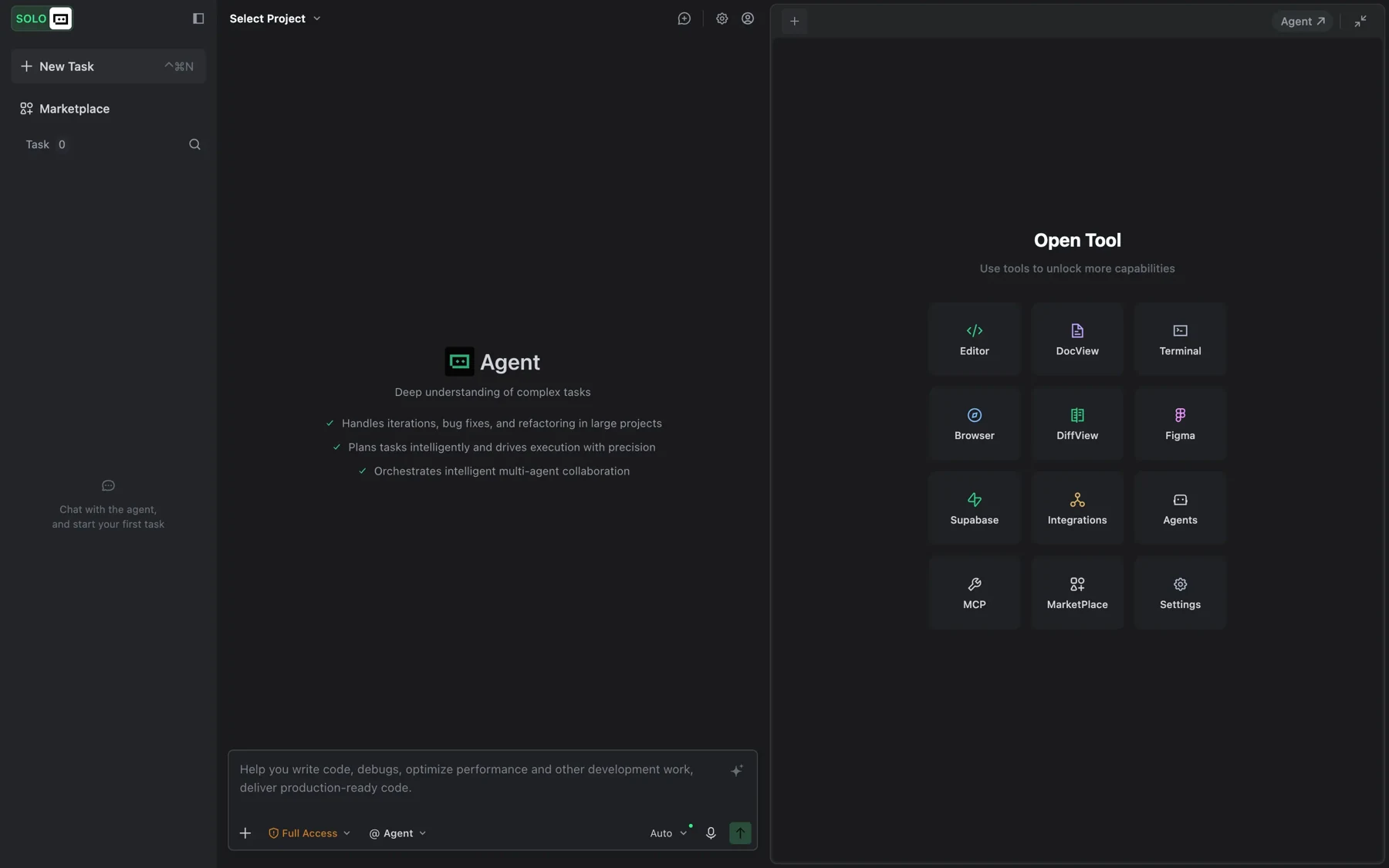
I know that probably sounds ordinary now, but watching an AI casually make changes across an entire codebase was genuinely surprising. One moment I was describing a feature, and the next, files were being created and modified like a madman had gotten access to my editor.
It felt like I'd skipped a few years of development tooling overnight. And the best part? I could just watch.
Well, for about a minute. Then I'd open my phone.
This introduced a slightly embarrassing problem. I'd spent all this time learning how to make AI more useful, and now that it could actually do things on its own, I was using the free time to doomscroll. There I was, supposedly becoming a more productive developer, while an AI worked on my project and I watched completely unrelated videos.
Very efficient. Just not entirely sure at what.
But working directly with the codebase really did change the process. The feedback loop was shorter. The AI could inspect related files, make changes, execute something, and use the results to decide what to do next. It also meant I could disengage much more easily.
When I had to copy and paste code myself, I was at least looking at it. Not necessarily understanding it, but looking. Now the agent could make several changes before I'd even finished scrolling.
I'd improved the workflow again. And, as usual, discovered something else I needed to figure out.
Same ingredients, different pans
TRAE was great, especially when I first started using it. But the pricing eventually became less attractive, and I began looking for alternatives. That's how I discovered OpenCode.
I expected something similar. After all, these tools could work with language models, read code, make edits, and execute commands. How different could they really be?
Quite different, apparently.
In my experience, TRAE felt more proactive. It seemed to approach development tasks more broadly, moving between different parts of the project and handling multiple things with relatively little intervention. OpenCode, at least in the way I was using it then, felt more sequential. More like watching the agent work through one operation after another.
I couldn't tell you exactly what was happening behind the scenes. I hadn't studied their internals. But I could definitely feel the difference.
And it got me thinking.
Imagine cooking the same dish with the same ingredients, but using two completely different pans. Same recipe, same ingredients, different heat distribution, different cooking process, and potentially a different result.
The model was the ingredient. The harness was the pan.
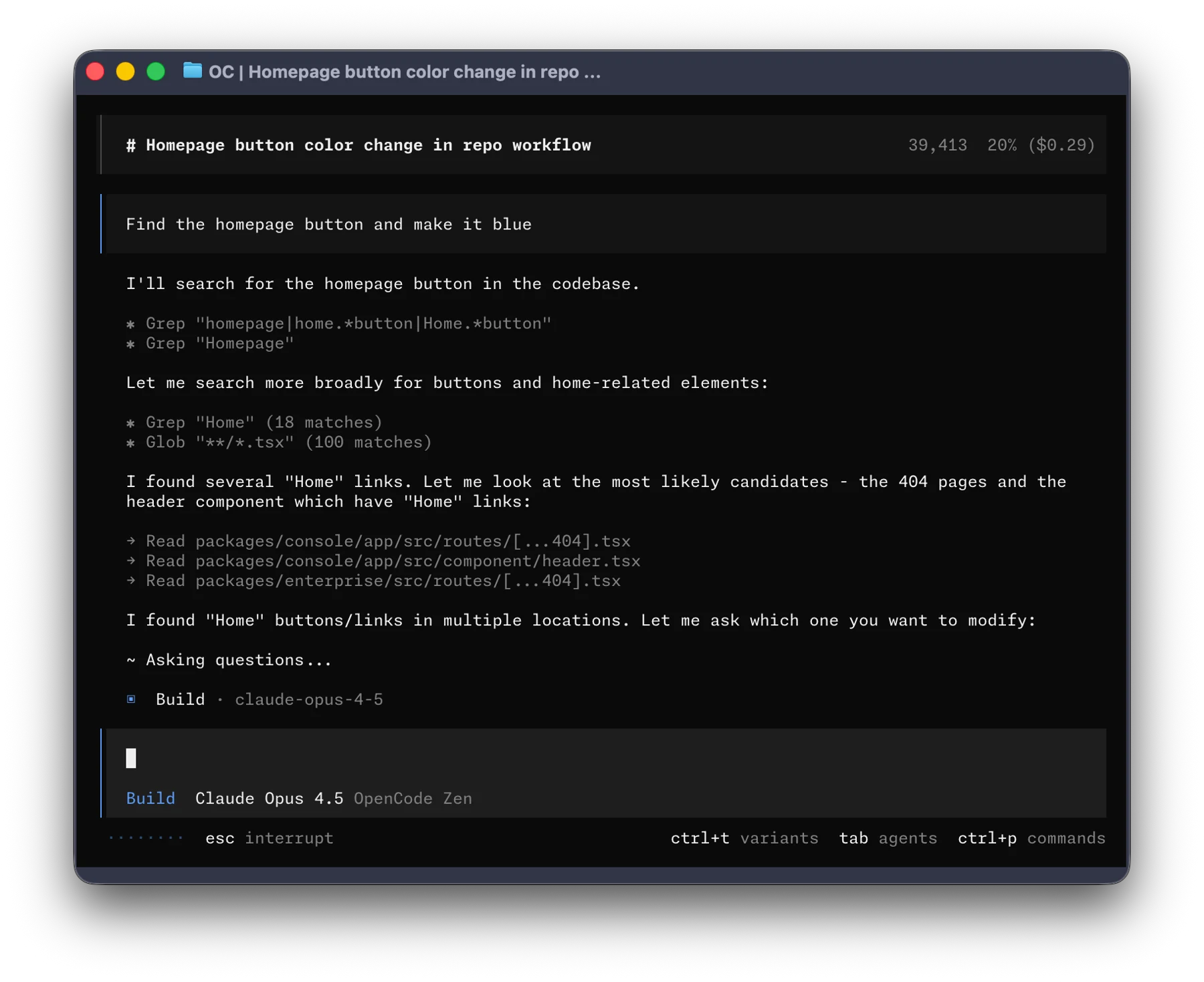
Not a perfect analogy, I know. I'm not opening a restaurant.
But it helped me understand something I'd previously overlooked. I'd been so focused on which AI model was the smartest that I hadn't paid enough attention to the environment it was working in.
I'd already experimented with models like Claude 3 Opus through Claude's own site, where the available free usage could feel like it disappeared after one substantial prompt. I knew models could differ significantly. But now I was seeing that even a capable model could behave differently depending on how it was given context, what tools it could use, and how those tools were coordinated.
So, naturally, I started experimenting.
Different CLIs, VS Code extensions, dedicated applications, anything that looked promising. I was basically collecting coding tools without knowing there was a term for the systems surrounding these models.
Harnesses.
Oh. That's what they're called.
I began trying different approaches depending on the project. Some tools felt better suited to frontend work, while others were more comfortable when I was dealing with backend logic, APIs, files, or debugging. And some just looked impressive until I gave them an actual project.
I stopped expecting a single tool to be the best at everything. Instead, I started paying attention to how each one worked, what it did well, and whether the experience actually made my development process easier.
Of course, this introduced another problem. There were now far too many things to keep track of.
Apparently, there's a name for everything
Just when I thought I was finally getting comfortable with AI-driven development, the internet decided to give me an entirely new vocabulary.
Agentic workflows. Context engineering. Tool use. Guardrails. Evals. Then skills, hooks, subagents, and more things I apparently needed to understand.
I'd open an article to learn about one concept and leave with five additional tabs. It was exciting, but also exhausting. And every time the tools improved, there seemed to be a new way of using them that I hadn't considered.
At first, I'd dismissed some of these features. Skills? Not really necessary. Hooks? Maybe later. I already had prompts, project context, and a coding agent. What else did I need?
Quite a lot, as it turned out.
Eventually, I started experimenting with those features too. Skills that gave agents specialized instructions or workflows. Hooks that could trigger checks or actions at particular points. Guardrails to constrain what an agent was allowed to do. Evals to test whether the output was actually good instead of simply looking convincing.
These weren't all new ideas, but they were becoming much more accessible in everyday development tools. And my attitude changed pretty quickly.
I went from ignoring skills because I didn't see the point to wanting a skill for practically everything.
Apparently, moderation wasn't one of the things I'd learned.
The funny part is that I was still trying to solve essentially the same problem I'd had when I first opened ChatGPT: how do I get this thing to help me build what I actually want?
Only now, instead of worrying about how to write the perfect prompt, I was thinking about the model, the context, the tools, the instructions, and how to verify the result.
The question hadn't changed much. My understanding of it had.
Giving the agent a pair of eyes
Frontend development was another adventure entirely.
AI could generate entire components, stylesheets, and layouts, then confidently explain how beautiful everything was. I'd open the browser, and it was not beautiful.
Sometimes the spacing was off. Sometimes the layout broke at different screen sizes. Sometimes an element was technically in the correct place, but the entire page somehow looked wrong.
And trying to explain that through text was its own kind of suffering. I'd tell it to move something a little to the left, then spend the next few prompts explaining that I didn't mean rearrange the entire layout.
Then I started using browser automation tools like Playwright, along with browser-use capabilities. Now agents could actually open the application, interact with it, inspect the rendered page, take screenshots, and use what they observed to make another attempt.
They could finally look at what they'd built. Well, sort of.
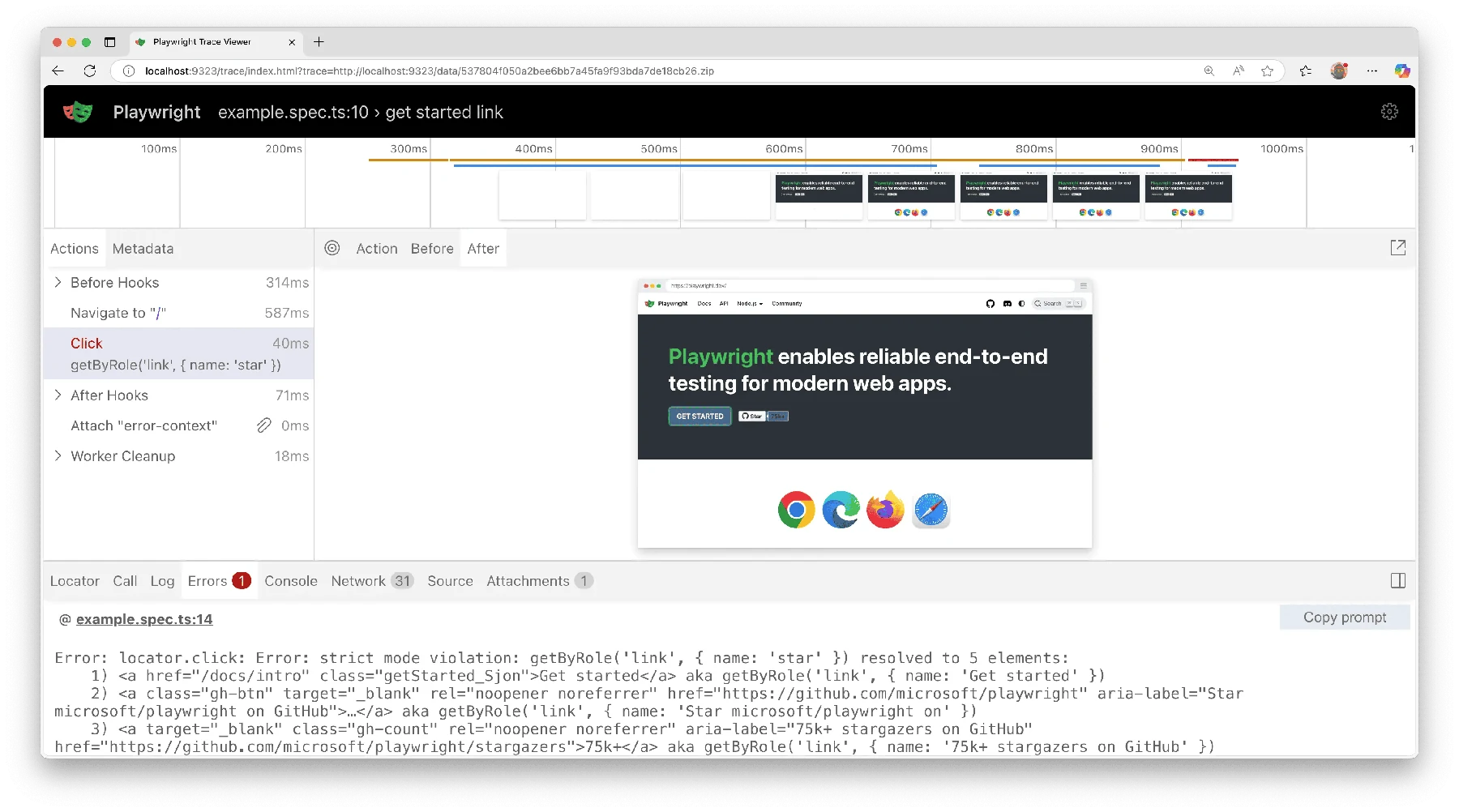
An AI inspecting a screenshot doesn't automatically give it good taste. It can recognize that something is misaligned and still decide the best solution is to add three containers and twelve CSS overrides.
But it was a huge improvement.
I started providing visual references, links to existing websites, official documentation, and relevant GitHub repositories. Instead of vaguely describing an interface, I could show examples of the behavior and design I wanted. I'd also let agents run through their own feedback loops: build something, inspect it in the browser, compare it against the requirements, fix what doesn't work, and test again.
Sometimes I'd use subagents to divide the work or checks. Sometimes I'd let the process run through several iterations. Other times, I'd watch the agent work and intervene when I noticed something going in the wrong direction.
I started experimenting with what I think of as loop engineering: setting up the conditions for an agent to repeatedly inspect, evaluate, and improve its own work instead of accepting the first implementation as finished.
Of course, this wasn't magic either. An agent can spend several iterations polishing something that was a bad idea in the first place. Give it an unclear goal, and it might become incredibly efficient at achieving the wrong thing.
Which is why I became much more deliberate about what I gave it before letting it loose.
Trust, but give it something to work with
These days, I don't approach AI development the same way I did when I was copying code from ChatGPT.
Before asking an agent to build something substantial, I want the project properly set up. A specification, clear expectations, relevant documentation, project instructions, skills where they actually help, guardrails, and some way to check whether the result works.
And ideally, a reasonably clear picture of what I'm trying to accomplish.
Only then am I comfortable letting an agent take on more of the work. Not because I think it suddenly becomes incapable of making mistakes. It still makes mistakes, plenty of them. But I've learned that giving an agent the right environment matters just as much as giving it a good prompt.
I also don't need to supervise every little operation anymore. If the setup is solid and the task is well-defined, I can let it work through implementation, testing, and revisions. And when something looks wrong, I step in.
Sometimes I give it more context. Sometimes I change the approach. Sometimes I simply tell it that the interface looks terrible and we need to try something else.
Very sophisticated feedback, I know.
What's interesting is how much my role in the process has changed. I used to spend most of my time moving code between a chatbot and an editor. Then I spent more time writing prompts, planning features, and figuring out why the AI kept losing track of the project.
Now I spend more time thinking about the system around the AI: how it receives information, what it can access, how it checks its own work, and when I need to intervene.
And yes, sometimes I still end up debugging with print statements. Some things never change.
Still somewhere in the middle
I don't think there's a point where you suddenly finish learning how to develop with AI. At least, I haven't reached it.
Every time I get comfortable with a workflow, there's another model, another tool, or another approach worth exploring. Sometimes it's genuinely better. Sometimes it's the same thing with a nicer interface and a more expensive subscription. And sometimes I spend an entire afternoon experimenting with a new tool, only to realize the one I was already using would've done the job just fine.
But I'm enjoying the process.
What started as a convenient way to finish tasks turned into something I wanted to understand. I became interested not just in what AI could produce, but in why it behaved differently across tools, what made certain workflows effective, and how I could keep improving the way I build software.
I still use AI to learn. I still read the code. I still make mistakes, and occasionally spend far too long fixing things that probably shouldn't have broken in the first place.
And looking at where AI development is heading, I find something a little funny about the industry's obsession with autonomy.
We're getting better at building agents that can plan, write, execute, test, and revise code without much human intervention. That's genuinely impressive. But I sometimes wonder if we're becoming so interested in how much work an agent can do on its own that we forget to ask whether it's doing the right work in the first place.
I remember how impressive it felt watching TRAE edit multiple files without me touching anything. I also remember a perfectly functional-looking dashboard that spent hours serving cached data when it wasn't supposed to.
Both experiences taught me something. Just not the same thing.
I'm not against autonomous development. I use it myself, and I want these tools to get better. But I'd rather have an agent that makes five changes I can understand and verify than one that makes fifty while I have no idea what's happening.
Maybe that balance will change as the tools improve. It probably will. I'm still figuring out where my own boundaries should be.
For now, the biggest difference between how I started and how I work today isn't that I found a smarter AI. It's that I've become more intentional about what I ask it to do, how I set it up to do it, and how I decide whether the result is any good.
I used to find a problem, give it to ChatGPT, and pray.
Now I give it a specification, the right tools, some guardrails, and a way to check its work.
Then I check anyway.
There's a lot less praying these days. Not zero, but less.